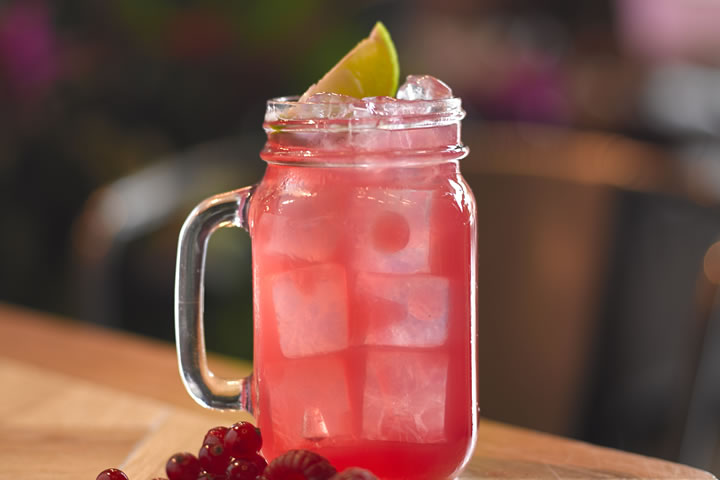
Back to basics is sometimes best and our Cranberry Fizz is a perfect example of this
Sometimes a great taste is all your need to create a best-selling cocktail and we think that’s well and truly what we’ve got with our Cranberry Fizz cocktail.
Understated to look at but a real punch of fresh, fruity flavour to drink, we know you want the inside scoop on how to make this yourself, so here’s the official Cranberry Fizz recipe you need:
Glass
Jam Jar
Cranberry Fizz Ingredients
25ml SKYY Raspberry vodka
25ml Cointreau
12.5ml lime juice
150ml cranberry Juice
Top soda water
Lime wedge for garnish
How to Make a Cranberry Fizz
Grab your Boston tin and fill with cubed ice before adding lime juice followed by your cranberry juice, raspberry vodka and then your Cointreau
Give it a good shake until everything is perfectly mixed
Strain over fresh ice into your glass
Top up with soda water and garnish with a wedge of lime and a straw
And there you have it – our oh-so elegant Cranberry Fizz. It’s light, refreshing, and dangerously easy to make.
Enjoy.
Like this? We’ve got so much more to show you. How about booking into a cocktail masterclass to find out what?
Or, if you’re more of a learn at home kind of person, check out our other cocktail recipes below. They’re all equally awesome, after all.
Contains information related to marketing campaigns of the user. These are shared with Google AdWords / Google Ads when the Google Ads and Google Analytics accounts are linked together.
90 days
__utma
ID used to identify users and sessions
2 years after last activity
__utmt
Used to monitor number of Google Analytics server requests
10 minutes
__utmb
Used to distinguish new sessions and visits. This cookie is set when the GA.js javascript library is loaded and there is no existing __utmb cookie. The cookie is updated every time data is sent to the Google Analytics server.
30 minutes after last activity
__utmc
Used only with old Urchin versions of Google Analytics and not with GA.js. Was used to distinguish between new sessions and visits at the end of a session.
End of session (browser)
__utmz
Contains information about the traffic source or campaign that directed user to the website. The cookie is set when the GA.js javascript is loaded and updated when data is sent to the Google Anaytics server
6 months after last activity
__utmv
Contains custom information set by the web developer via the _setCustomVar method in Google Analytics. This cookie is updated every time new data is sent to the Google Analytics server.
2 years after last activity
__utmx
Used to determine whether a user is included in an A / B or Multivariate test.
18 months
_ga
ID used to identify users
2 years
_gali
Used by Google Analytics to determine which links on a page are being clicked
30 seconds
_ga_
ID used to identify users
2 years
_gid
ID used to identify users for 24 hours after last activity
24 hours
_gat
Used to monitor number of Google Analytics server requests when using Google Tag Manager